Goal RingsAny metric as an always-visible goal ring on your Mac

Available now · macOS

The number you’re chasing, always in sight.

Revenue, signups, words written — any metric becomes a ring on the edge of your screen, paced so you know whether right now is good enough.

  • 14-day refund, no questions
  • No account, no backend
  • macOS 14 (Sonoma) or later

From the maker of LocalDock, Redirectly, MacBid 21+ products launched

On screen

Every part of it, at the size it is drawn.

Not a designer's impression. Each of these is the app itself, drawing one of its own surfaces.

  • The Goal Rings panel docked to a screen edge with four rings — visitors at 73%, revenue at 21%, focus at 52% and orders past target at 120% — beside the detail card that opens when the cursor reaches one of them, showing revenue at $368 of $1,750, behind pace, with 4h 48m left in the day.

    The panel on the edge, and the card behind a ring
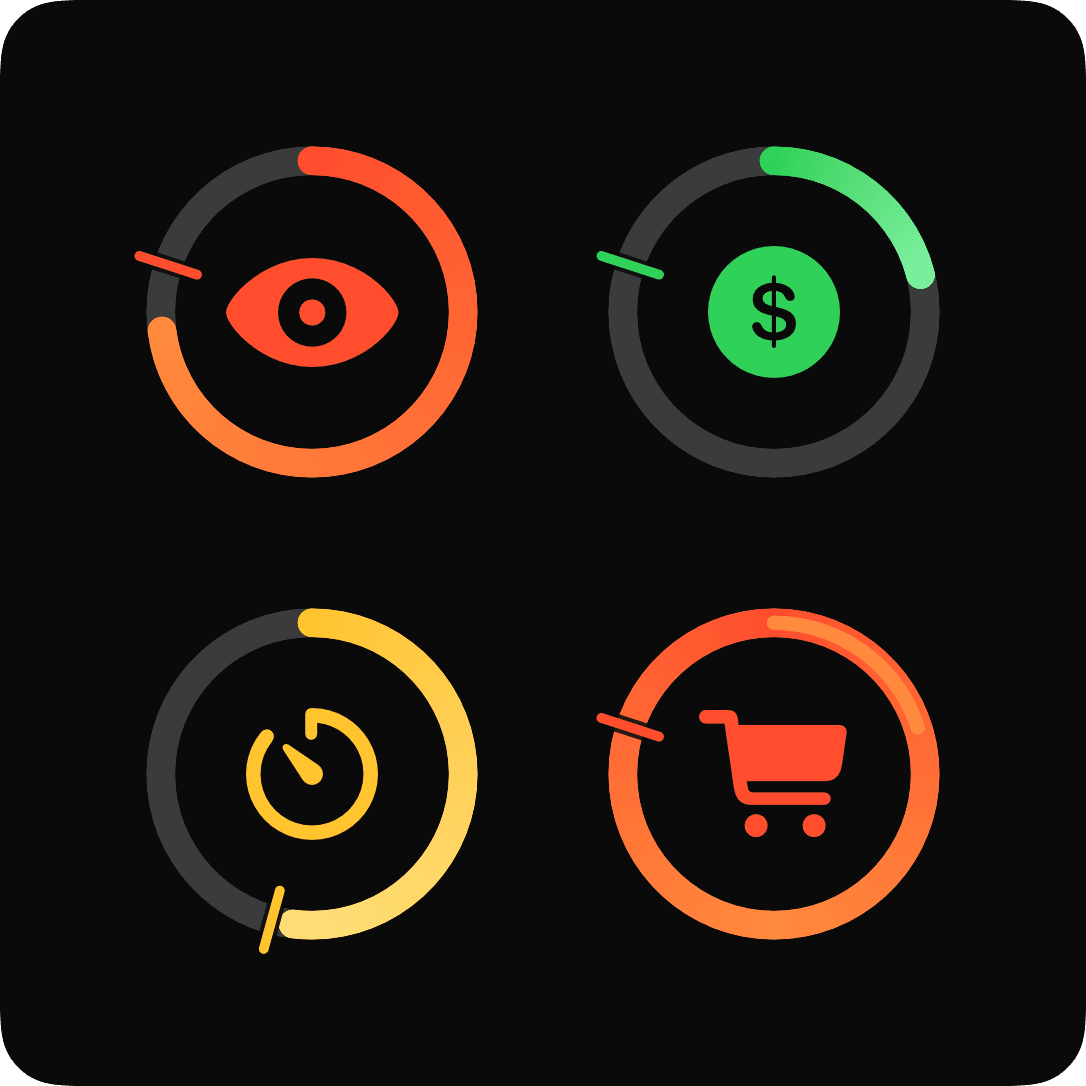
  • Four rings at large size on the app's near-black panel. Each carries a pace tick: the arc short of the tick is behind, level with it is on pace, a full ring has closed, and a second thinner lap over the first is past the target.

    Behind, ahead, closed, past target — read at a glance
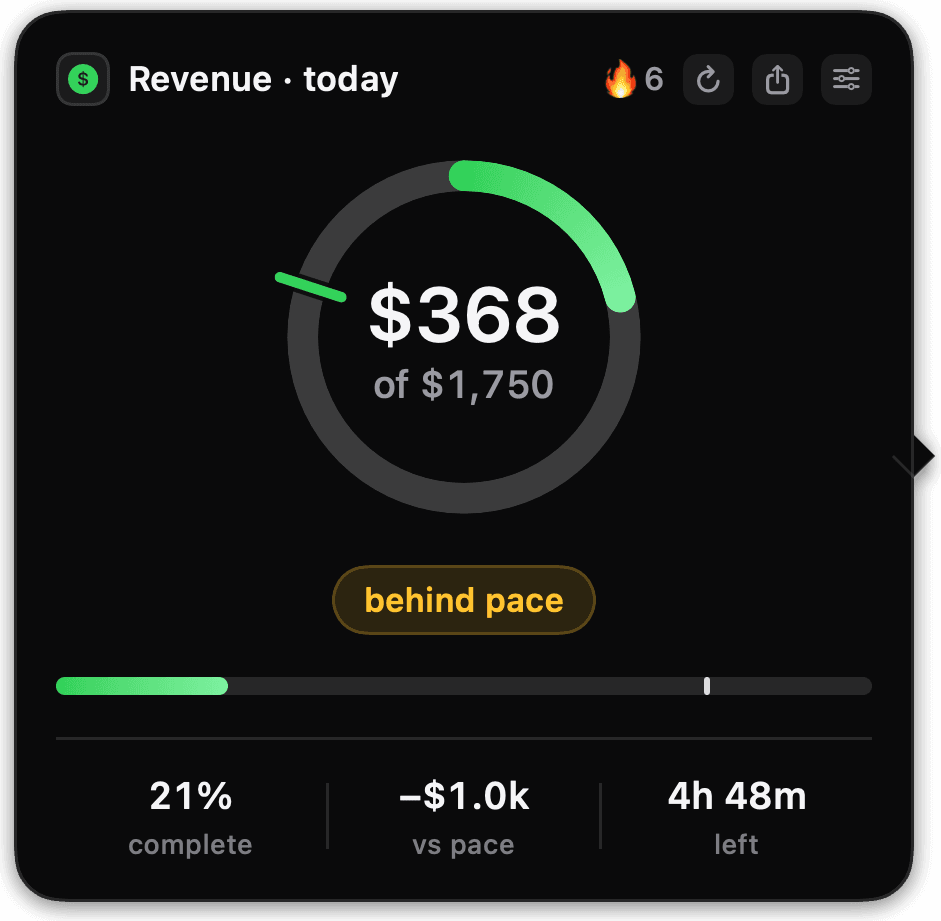
  • The detail card for a daily revenue goal: $368 of $1,750, a green dial at 21% with the pace tick well ahead of the arc, a “behind pace” pill, and the figures 21% complete, −$1.0k versus pace, 4h 48m left.

    A goal losing its day, and by how much
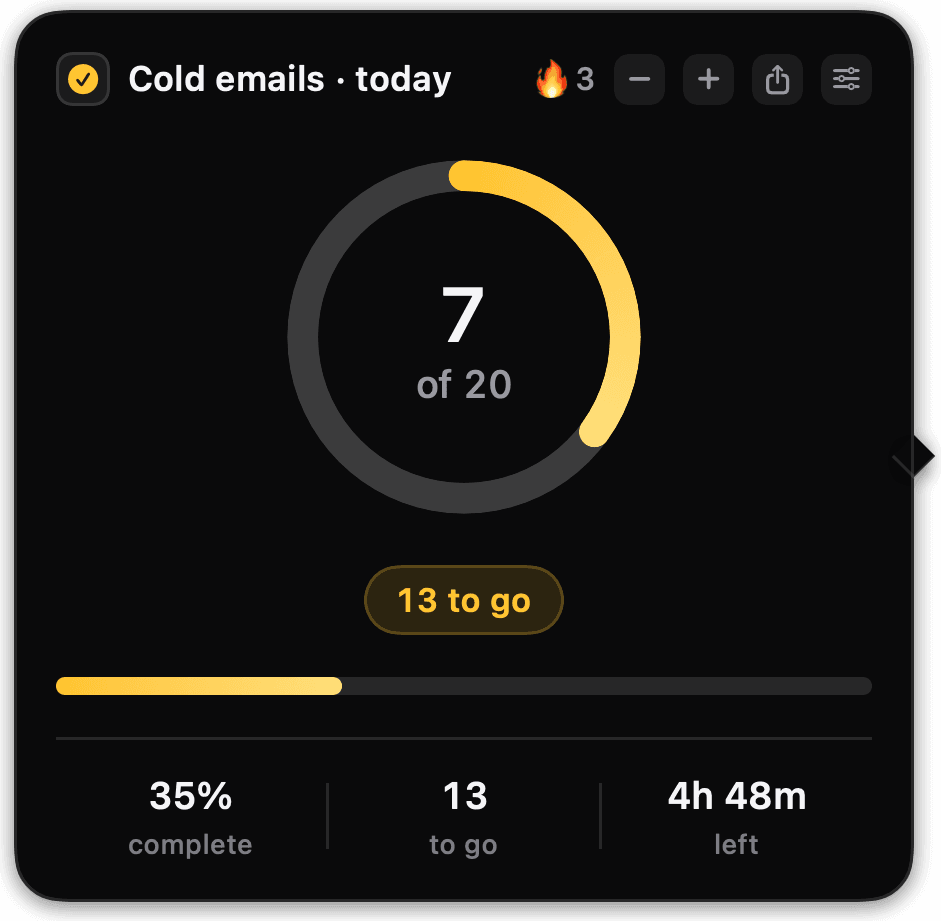
  • The detail card for a manual counter, 7 of 20 cold emails, with minus and plus buttons in its title row, a three-day streak, and no pace tick anywhere — a counter has no schedule the app agreed to.

    A ring you tap — no key, no network

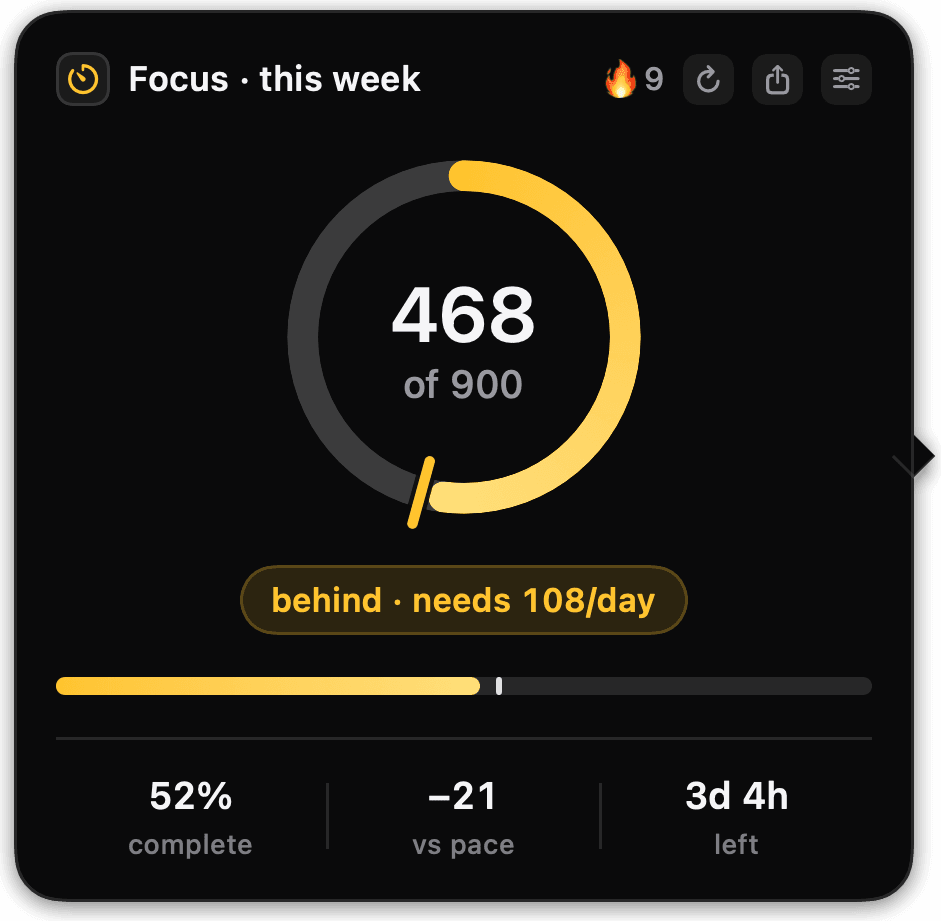
  • The detail card for a weekly focus goal, 468 of 900 minutes, with an amber dial at 52%, the pace tick just ahead of the arc, and a pill reading “behind · needs 108/day” over 3d 4h remaining.

    A week, and what it takes per day to close it

  • The share card in its dark theme: a coral ring past its target with a second thinner lap, 24 of 20 orders, a 12-day streak, 120%, dated November 21 2024 and signed with the product's domain.

    The card you send when a ring closes

  • The share card in its light theme — the same closed orders ring at 24 of 20 and 120%, drawn on off-white rather than near-black, which is a second design rather than an inverted first one.

    The same moment, on paper

  • The detail card for a revenue goal that has stopped updating: the last known $368 still on screen, a “not updating” pill, and one amber line along the bottom reading “Stripe key rejected — check Sources”. No dialog and nothing hidden.

    When a source stops answering, it says so
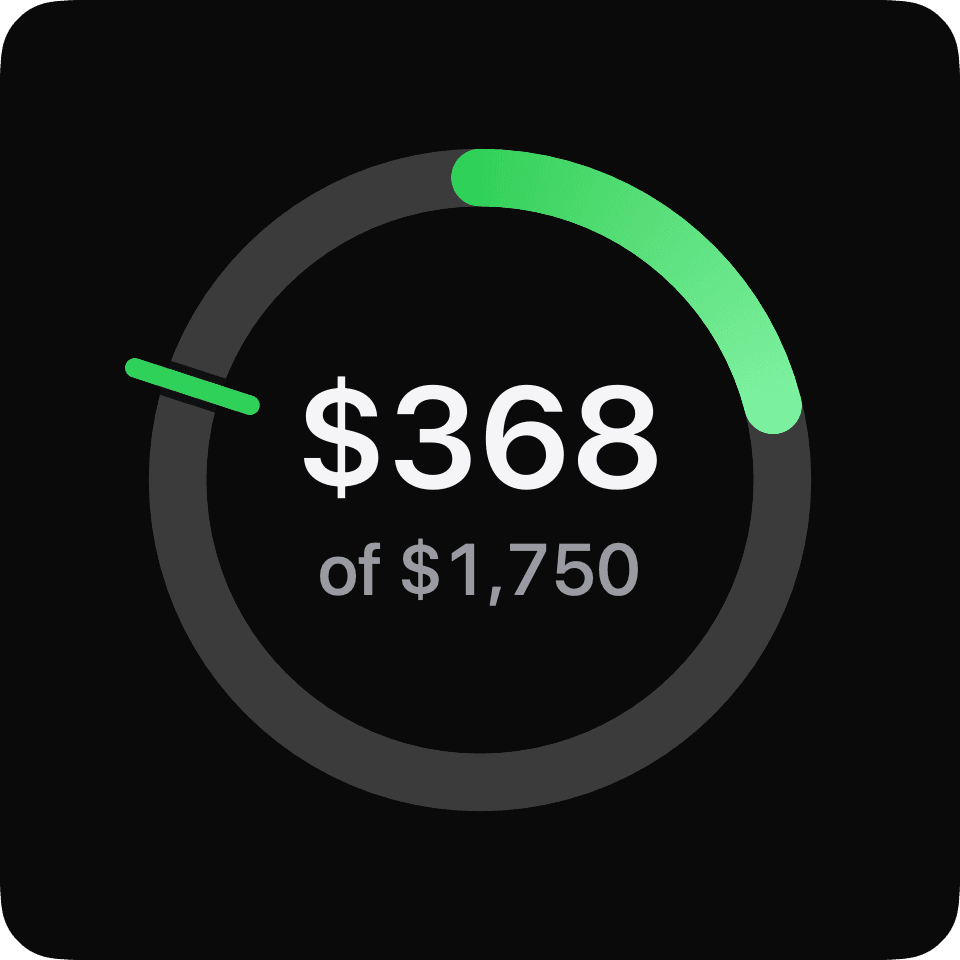
  • A single large dial on the app's near-black panel with $368 set inside it and “of $1,750” beneath, the green arc a fifth of the way round and the pace tick far ahead of it.

    The number, not a percentage of it

Getting started

From download to first ring.

Connect a source, pick a number, choose a period. The ring appears on the edge and starts filling.

The first run, in four chapters, over a Mac desktop. The app opens on “The numbers that would not stay still” and says up to four rings dock to the edge of the screen, on every Space, with no window to open. A licence key is pasted and checked. Then six things a ring can count — revenue today, paid orders today, visitors this week, commits this week, any number from a URL, or a counter you tap — and visitors is picked, given a target of 1,000 a week, and its connection tested against a real site, which answers 72 today. Two optional switches later — a quiet notification instead of a full-screen celebration when you are busy, and start at login — the ring is docked to the right edge, closed at 2,206 of 1,000: 221% complete, 1.2k over, with 23h 50m of the week left.

Anything countable

One widget. Every number you care about.

Revenue, traffic, words, reps. If a service has an API, a page has a total, or you can tap a button — it can be a ring.

  • MRR

    $4 820

  • Signups today

    182

  • Words written

    1 240

  • Orders

    42

  • Visitors this week

    3 040

  • Invoices sent

    7

  • Trial starts

    23

  • Commits

    11

  • Newsletter subs

    1 512

  • Refunds

    1

  • Net revenue

    $12 450

  • Focus minutes

    468

  • Push-ups

    60

  • Pages read

    34

  • Cold emails

    18

Every ring, one app.

Revenue, signups, words, workouts — whatever you are counting, it ends up as the same small mark on the edge of your screen.

Pricing

One price. However many Macs.

The number is on the card, not behind a call.

Available now

$19one-time

$9.50 per Mac

A desk Mac and a laptop — the pair most people are working across.

  • 2 Macs activated by this license
  • 1 purchase no subscription, nothing renews
  • Any Mac deactivate an old machine in-app and the slot frees up
  • 1 year of updates; the app keeps working after that
  • 14 days to refund, no questions — the full terms
  • Invoice issued by Creem, VAT and sales tax handled

2 Macs, $19, one-time payment.

Not sure? 14 days to change your mind — no questions asked.

Your card statement will say Creem, our merchant of record — not Goal Rings. Tax and invoice handled.

  • No monthly plan
  • No account and no password
  • No admin console and no team tier
  • No data sold, shared or brokered
  • No upsell inside the thing you bought

Not sure it fits? hey@goalrings.app — a straight no costs us both less than a refund.

Questions

Before you decide.

The things people actually ask before paying for Goal Rings.

Which metrics can it track?
Revenue through Stripe or Creem, and visitors through DataFast, out of the box. Beyond those, point a ring at any URL that answers with a number — a bare number or a key in a JSON response, with any headers it needs kept in your Keychain. Totals that only ever go up work too: the app records where each day, week or month started and rings the gain. And for anything with no API at all, there is a counter you tap: hover the ring, press +, no key and no network. If you can get a number out of it, you can put a ring around it.
Will confetti explode during my Zoom call?
No. Celebrations mute themselves during screen sharing, active calls, Focus and Do Not Disturb, and any quiet hours you set — the widget checks before it cheers. And there is one global setting, Full / Subtle / Off, if you want the ceiling lower permanently.
Is my data sent anywhere?
Not to us — there is no backend and no account to send it to. Your API keys live in the macOS Keychain and your Mac polls the providers directly, so the numbers travel between you and them with no stop in the middle. The full specifics: privacy policy.
Is it a subscription?
No — one license, one payment. It includes a year of updates; the app keeps working after they end, and the only thing that would ever cost again is a future major version, which you can judge when it exists. Available now, and there is nothing to cancel because there is nothing recurring.
What are the requirements?
macOS 14 (Sonoma) or later, running on Apple Silicon or Intel. The app is signed and notarized through the platform's Developer ID process, so it installs like anything else — no right-click ritual, no warnings to click through.
How many Macs per license?
1, 2 or 3, at the same time — that is the one thing the three licenses differ by, and you pick it at checkout. Deactivate an old machine from inside the app and the slot frees up immediately, so moving to a new Mac is a minute of clicking rather than a support ticket.
There is no free trial — what if it is not for me?
Then take the refund: 14 days, no questions, no form to fill in — write to hey@goalrings.app and say so. Creem is the merchant of record, so the refund is issued by them, back to the card that was charged — which is also why it lands in a few days rather than instantly. It is a one-time purchase rather than a subscription, so there is nothing to cancel either way. The fine print: refund policy.
Can it dock to the left edge, or a second display?
Not yet. V1 docks to the right edge of your main display, and you choose how high up it sits. Left edge and multi-display are on the roadmap.
Why not a free menu-bar app, or the dashboard I already have?

Keep them if they work — this exists because a number you have to go look at is easy to ignore. A dashboard shows progress only when you open it, and a bare number in the menu bar cannot tell you whether it is enough by now. Goal Rings keeps the goal in sight all day, the pace tick turns it into a verdict about right now — ahead or behind — and closing a ring is celebrated rather than merely displayed. If a glanceable number is genuinely all you need, the free thing is the right tool; this is for the goals you keep putting off.